 SharingCast
Static Room Code for Office File Sharing
One fixed code your whole team can reuse — no re-sharing a new code every time
In this guide
The problem with a new code every time
SharingCast normally creates a fresh random code, such as SC-7K2QF, every time you start sharing. That is ideal for one-off transfers: the code is only useful for a few minutes and then it is gone.
But many people send files between the same devices again and again. A designer who moves files from their phone to their work PC every day, an office where one machine shares scanned documents, or a teacher who sends material from the same laptop to the classroom computer. For them, reading out and typing a new code every time quickly becomes a chore.
What a static room code is
A static room code is a code that stays the same every time a particular device starts sharing. The code is saved in that device’s browser (or app), so the next time it shares files, it uses the same code automatically. The device on the other end can simply enter the code it already knows, without anyone needing to read out a new one.
The static code belongs to the device that starts sharing from the Send tab. The receiving device still enters the code in the Receive tab as usual; it just never has to ask what it is.
How to set up a static room code
- On the device that will share files, open sharingcast.com (or the app) and go to the Send tab.
- Tick Use a static room code.
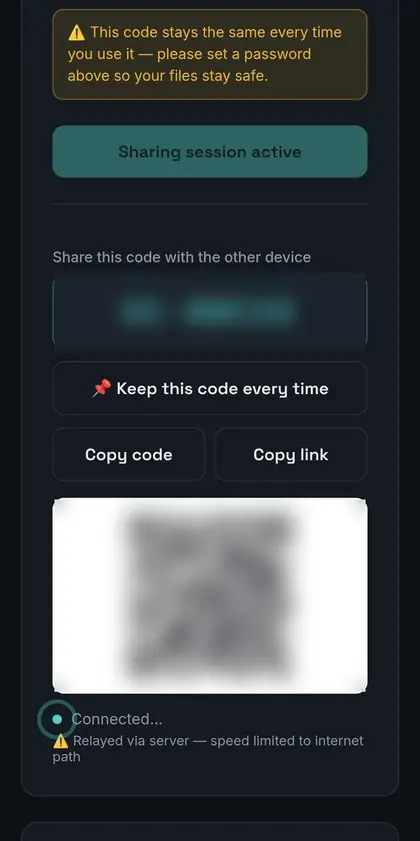
- Type a code you will remember after the SC- prefix, for example SC-DESKA for “Desk A”. Alternatively, start sharing first to get a random code, then choose Keep this code every time to lock it in.
- Set a password in the same tab (see below).
- Write the code down somewhere your team can find it, such as a pinned message in your team chat.
From now on, every time this device starts sharing, it uses the same code. Clearing the browser’s site data removes the saved code, so set it again if that happens.
Always add a password
A static code is convenient precisely because it does not change. That also makes it predictable: anyone who has ever seen it, overheard it, or read it on a sticky note knows it too. A password closes that gap.
Good practice for passwords on a static code:
- Use something longer than a few characters, and avoid the company name or the code itself.
- Change it when someone leaves the team.
- Do not write the password next to the code.
Good uses for a static code
- Your own two devices. If you always send from your phone to your laptop, give the phone a static code and your laptop will always know what to enter.
- A shared scanning or download station. One office computer that shares scanned documents or downloaded reports with colleagues throughout the day.
- A presentation or classroom laptop. The same laptop shares slides, handouts or videos with a meeting room or classroom PC.
- A small studio. An editing workstation that regularly hands off exported files to a review machine.
For one-off transfers to people outside your team, a fresh random code is still the safer choice.
Choosing and managing codes in a team
If several devices in an office use static codes, a simple naming pattern prevents mix-ups. Use the room or desk name (SC-RECEP, SC-STUD1, SC-MEET2), keep a short list of which code belongs to which device, and review it when equipment changes. Because codes live in each device’s browser, replacing a computer means setting the code again on the new one.
It also helps to agree on a simple rule: static codes are for internal, routine transfers between known devices; anything sensitive or external uses a fresh code and a fresh password.
Frequently asked questions
Can two devices use the same static code?
Each code should belong to one sharing device at a time. Give every device its own code to avoid confusion.
Does the static code work in the apps?
Yes. The Windows and Android apps use the same SharingCast page, so the option is available there too.
Is a static code less secure?
It is more predictable than a random code, which is why a password is essential. With a strong password, only people who know both can receive.
How do I stop using a static code?
Untick “Use a static room code” in the Send tab, and SharingCast goes back to creating a new random code each time.