 SharingCast
How WebRTC File Transfer Works
The technology behind direct, browser-to-browser file sharing
In this guide
What WebRTC is
WebRTC (Web Real-Time Communication) is an open standard built into Chrome, Edge, Firefox, Safari and the browsers inside Android and iOS. It lets two browsers send audio, video and data straight to each other, without installing plugins. If you have joined a video call in a browser tab, you have used WebRTC.
Most people know it for video, but WebRTC also has a data channel: a connection that carries arbitrary bytes between two browsers. That data channel is what makes browser-to-browser file transfer possible. SharingCast uses it to move files directly between devices, so the file never has to be uploaded to a storage server first.
The five stages of a WebRTC file transfer
Every SharingCast transfer goes through the same five stages. Most of them take a fraction of a second.
- Creating a room. When the sender presses Start sharing, the page creates a short code (for example SC-7K2QF) that identifies this session.
- Signalling. When the receiver enters the code, the two browsers exchange small messages through a signalling server. These messages describe how each browser can be reached and which encryption settings it supports. They do not contain the file.
- Finding a path (ICE). Each browser gathers possible addresses, called candidates: its local network address, its public address as seen from the internet, and if needed a relay address. The browsers test these pairs and choose the best one that works.
- Securing the connection (DTLS). The browsers perform an encryption handshake directly with each other and agree on keys that only they know.
- Sending data. The file is split into small pieces and sent over the encrypted data channel. The receiver reassembles the pieces and saves the file.
How two devices find each other through routers
The trickiest part of peer-to-peer networking is that most devices are hidden behind a router. Your laptop has a private address like 192.168.1.20 that the outside world cannot reach directly. WebRTC solves this with three helpers:
- STUN tells a browser what its public address looks like from the internet. With that information, two browsers behind ordinary home routers can usually open a direct path to each other. This technique is often called “hole punching”.
- TURN is a relay used when a direct path is impossible, for example on strict office networks or some mobile carriers. Data goes from one device to the relay and on to the other device. It stays encrypted the whole way, so the relay cannot read it.
- ICE is the process that tries all the options and picks the best route: same network first, then direct across the internet, then relay as a last resort.
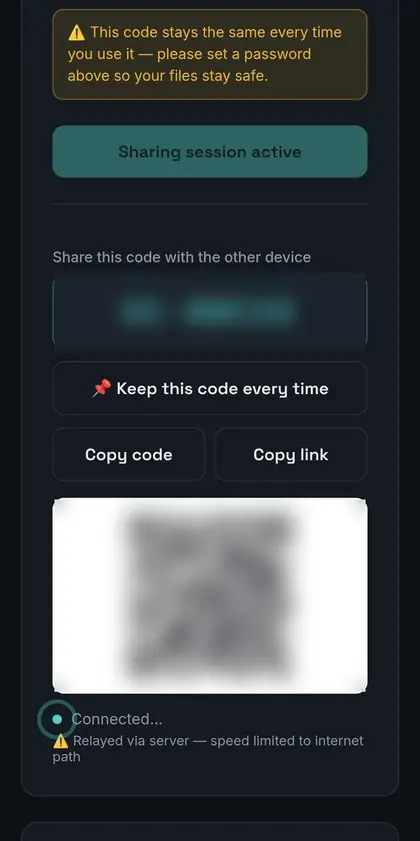
SharingCast adds one extra step on top. If a transfer starts on the relay, the receiving side checks again after a short while to see whether a direct path has become available, and moves the transfer onto it if one has. Direct paths are usually faster, so this can speed up long transfers.
How the data is protected
Encryption is not optional in WebRTC. Every data channel is protected with DTLS, which is closely related to the TLS that secures HTTPS websites. The keys are negotiated between the two browsers, so anything in the middle, whether a Wi-Fi hotspot, an internet provider or a relay server, only sees encrypted bytes.
SharingCast adds a second layer you control: an optional password. When a password is set, the receiver must enter it before any file data is sent, so a person who only knows the room code cannot receive anything.
How a big file is actually sent
A browser cannot push a 10 GB file through a connection in one piece. Instead, the file is read in small chunks, each chunk is sent over the data channel, and the receiver writes the chunks out in order. Several practical details make this work well:
- Flow control. The sender watches how much data is waiting to go out and pauses when the buffer is full, so memory use stays low even for huge files.
- One file after another. When you send several files, SharingCast sends them in sequence. Finished files are complete even if a later file is interrupted.
- Reconnect and resume. If the connection drops, both sides try to reconnect and continue from the last piece received, as long as the page or app is still open.
- Progress on both ends. Because the data flows live, both the sender and receiver see the same progress at the same time.
Limits and trade-offs
WebRTC is powerful, but it has honest limits that are worth knowing:
- Both devices must be online. Nothing is stored in between, so the receiver has to be connected while the sender is sending.
- Browsers pause background tabs. Phones in particular suspend pages that are not on screen. The SharingCast apps for Windows and Android are built to keep transfers running more reliably.
- Some networks block peer-to-peer. In those cases the relay keeps things working, but speed depends on the relay route.
- Browser extensions can interfere. Privacy extensions that disable WebRTC will stop transfers. Our troubleshooting guide explains how to check.
Frequently asked questions
Is WebRTC safe?
Yes. Encryption is mandatory in WebRTC, and it is used by major video calling services. Read more in Is peer-to-peer file sharing safe?
Does WebRTC work on iPhone?
Yes. Safari on iPhone and iPad supports WebRTC data channels, so SharingCast works there without an app.
Why does my transfer sometimes say it is using a relay?
Your network blocked a direct path, so WebRTC fell back to an encrypted relay. The transfer still works and stays encrypted.
Do I need to install anything?
No. WebRTC is built into the browser. Apps are available for Windows and Android if you prefer them.